

Call us now
08045477193

 Send Inquiry
Condtrol Smart 40 Laser Distance Meter
Price 8949 INR/ Piece
MOQ : 1 Piece
Condtrol Smart 40 Laser Distance Meter Specification
- Operating Temperature
- 0°C to +40°C
- Measuring Range
- 0.05 m to 40 m
- Dimensions
- 110 x 43 x 25 mm
- Min/Max Measurement
- Yes
- Storage Temperature
- -20°C to +60°C
- Unit of Measurement
- m, ft, in
- Model
- Smart 40
- Battery Life
- Up to 5000 measurements
- Protection Rating
- IP54
- Accuracy
- ±2 mm
- Power Supply
- 2 x AAA batteries
- Display
- Backlit LCD
- Continuous Measurement Mode
- Yes
- Addition/Subtraction Function
- Yes
- Laser Auto-Off
- After 30 seconds
- Display Type
- Multi-line LCD
- Automatic Shutdown
- After 3 minutes of inactivity
- Memory Function
- Stores last 20 measurements
- Area/Volume Calculation
- Yes
- Laser Type
- Class II, 635 nm
- Weight
- 90 g (without batteries)
- Reference Point Selection
- Front/Rear of device
- Tripod Thread
- No
Condtrol Smart 40 Laser Distance Meter About
Specifications
| Model Name/Number | CONDTROL Smart 40 |
| Brand | CONDTROL |
| Packaging Type | Standard Packing |
| Usage/Application | Distance Measurement |
| Laser Type | Red |
| Range | 40M |
| Measuring Range | 40M |
| Warranty | 2 Year |
| Display Line | Color |
Enhanced Measurement Capabilities
The Smart 40 Laser Distance Meter is engineered to deliver accurate area and volume calculations, along with min/max measurements. Users can switch between metric and imperial units for greater flexibility. The continuous measurement mode and quick-response multi-line LCD display streamline tasks in construction, renovation, and interior design.
Robust and User-Friendly Design
Built with an IP54 protection rating, the Smart 40 resists dust and water splashes, making it reliable in demanding work environments. It features reference point selection on both the front and rear of the device, while its lightweight, ergonomic structure (just 90 g without batteries) ensures comfortable operation over extended periods.
FAQ's of Condtrol Smart 40 Laser Distance Meter:
Q: How do I use the Condtrol Smart 40 to calculate area and volume?
A: To calculate area or volume, select the desired function on the device, then measure the necessary dimensions as prompted. The Smart 40 automatically calculates results based on your inputs, displaying them on its backlit multi-line LCD.Q: What is the benefit of the IP54 protection rating for this distance meter?
A: The IP54 rating ensures the device is protected against dust ingress and water splashes, making it suitable for construction sites and other challenging work environments where durability is crucial.Q: When does the laser and device automatically shut off to save battery?
A: The laser switches off automatically after 30 seconds of inactivity, while the device itself powers down after three minutes if unused, helping preserve battery life for up to 5000 measurements.Q: Where can I view my last measurements on the Condtrol Smart 40?
A: You can access the memory function from the device's menu, which stores the last 20 measurements taken. Each measurement is displayed clearly on the backlit LCD, supporting efficient project tracking.Q: What is the process for switching measurement units on the device?
A: To change the unit of measurement, simply navigate to the settings menu and select between meters, feet, or inches, depending on your project requirements.Q: How should I store the Smart 40 when not in use?
A: Store the device in a dry environment with temperatures between -20C and +60C. Removing the batteries during long periods of inactivity will help maintain optimal performance.Q: What is the usage advantage of reference point selection?
A: Reference point selection allows you to take measurements from either the front or rear of the device, offering greater flexibility and precision when working in tight or irregular spaces.
Tell us about your requirement

Price:
Quantity
Select Unit
- 50
- 100
- 200
- 250
- 500
- 1000+
Additional detail
Mobile number
Email

More Products in Condtrol Category
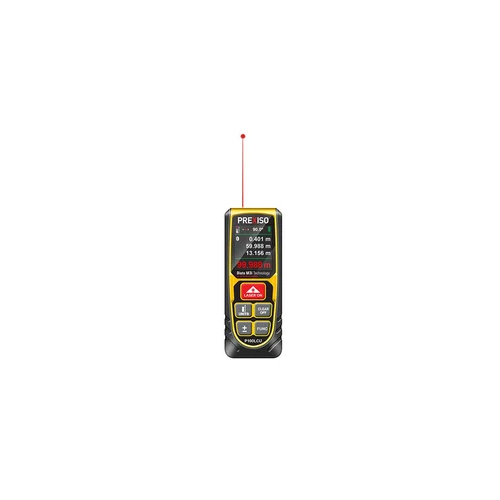
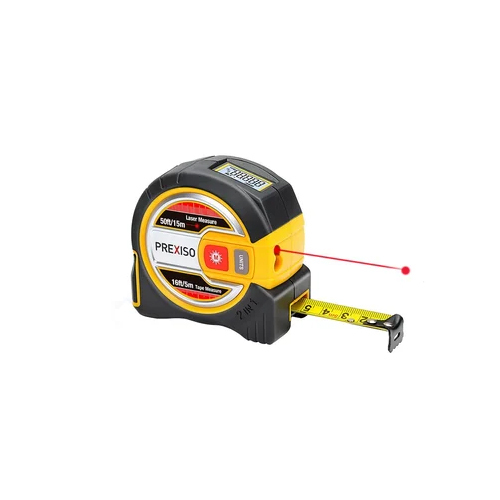
Prexiso PLT15 2-In-1 15M 50FT Laser 5M 16FT Tape Distance Measure
Price 4350 INR / Piece
Minimum Order Quantity : 1 Piece

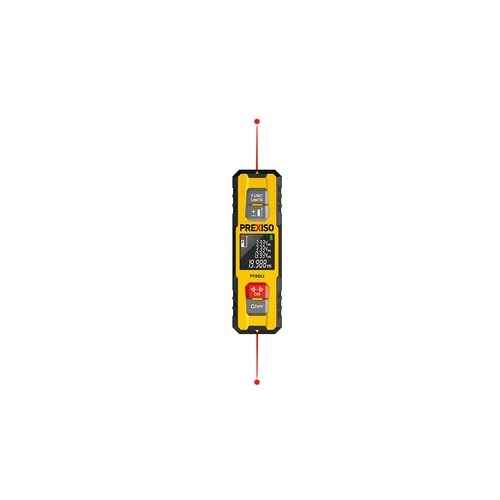
Precise Digital P70DLI 70M 230FT Rechargeable Li-ion Bidirectional Laser Distance Measure
Price 9500 INR / Piece
Minimum Order Quantity : 1 Piece

GST : 27AAICR8954R1Z7

Shop No.4, Prabhu Shilp Apt, Next to Metro Wholesale, Tapovan Road, Nashik - 422011, Maharashtra, India
Phone :08045477193
 Send Inquiry
- Pneumatic Coil Nailer
- Pneumatic Stapler
- Pneumatic Bradder
- Industrial Products
- Jig Saw
- Hot Melt Glue Gun
- Construction Tools
- Cordless Drywall Screwdriver
- Cordless Concrete Nailer
- Line laser level
- Rotating Laser
- Distance Meter
- Drywall Tools
- Kapro Tools
- EDMA Tools
- Goldblatt Drywall Hand Tools
- BeA Hot Melt Glue Gun
- Condtrol
- Mafell Power Tools
- Prexiso
- BeA Pneumatic Coil Nailer
- KMR Pneumatic Stapler
- BeA Pneumatic Fine Wire Stapler
- BeA Fasteners
- Furniture Fixtures
- BeA Carton Closer
- BeA Cordless Nailer
- BeA Pneumatic Bradder
- BeA Autotec Modular Tool
- BeA Pneumatic Heavy Wire Stapler
- Corrugated Fasteners
- BeA Strip Nailers
- BeA Pneumatic Plastic Stapler
- Cordless Tools
- Coil Nails
- Industrial Stapler
- Pneumatic Stapler Pin
- Brad Nails
- BeA Hog Ring Plier
- Hand Hog Ring Pliers With Magazine
- Spray Gun
- BeA Pneumatic Plier
- BeA Wide Crown Stapler
- KMR Magazine Collated Screw Driver
- Dimpler Magnetic Drywall Screw Retainer
- BeA Cordless Autofeed Screw Driver
- Cordless Power Tools
- BeA Power Package
- Coil Nail Machine
- BeA Compressor
- Moisture Meter
 Send Inquiry
 Send SMS
RUDANI ENTERPRISES PVT. LTD.
All Rights Reserved.(Terms of Use)
Developed and Managed by Infocom Network Private Limited.
Developed and Managed by Infocom Network Private Limited.

